Workers hesitate before servicing equipment—not from fear, but from uncertainty. Is the lockout procedure clear? Is the tag visible, durable, and informative enough to prevent accidental startup? In high-risk environments, a missing or poorly designed lockout tag can turn routine maintenance into a life-threatening event. That’s where printable lockout tag PDF examples come in: they offer immediate, standardized solutions that reinforce safety and ensure compliance.
These aren’t just static forms. The best printable lockout tag PDFs are engineered for clarity, compliance, and real-world usability. Whether you're in manufacturing, facilities management, or equipment maintenance, having access to reliable, customizable templates can eliminate guesswork and reduce downtime.
Below, we break down what makes an effective lockout tag, where to find high-quality printable PDF examples, and how to integrate them into your safety protocols.
Why Printable Lockout Tag PDFs Matter
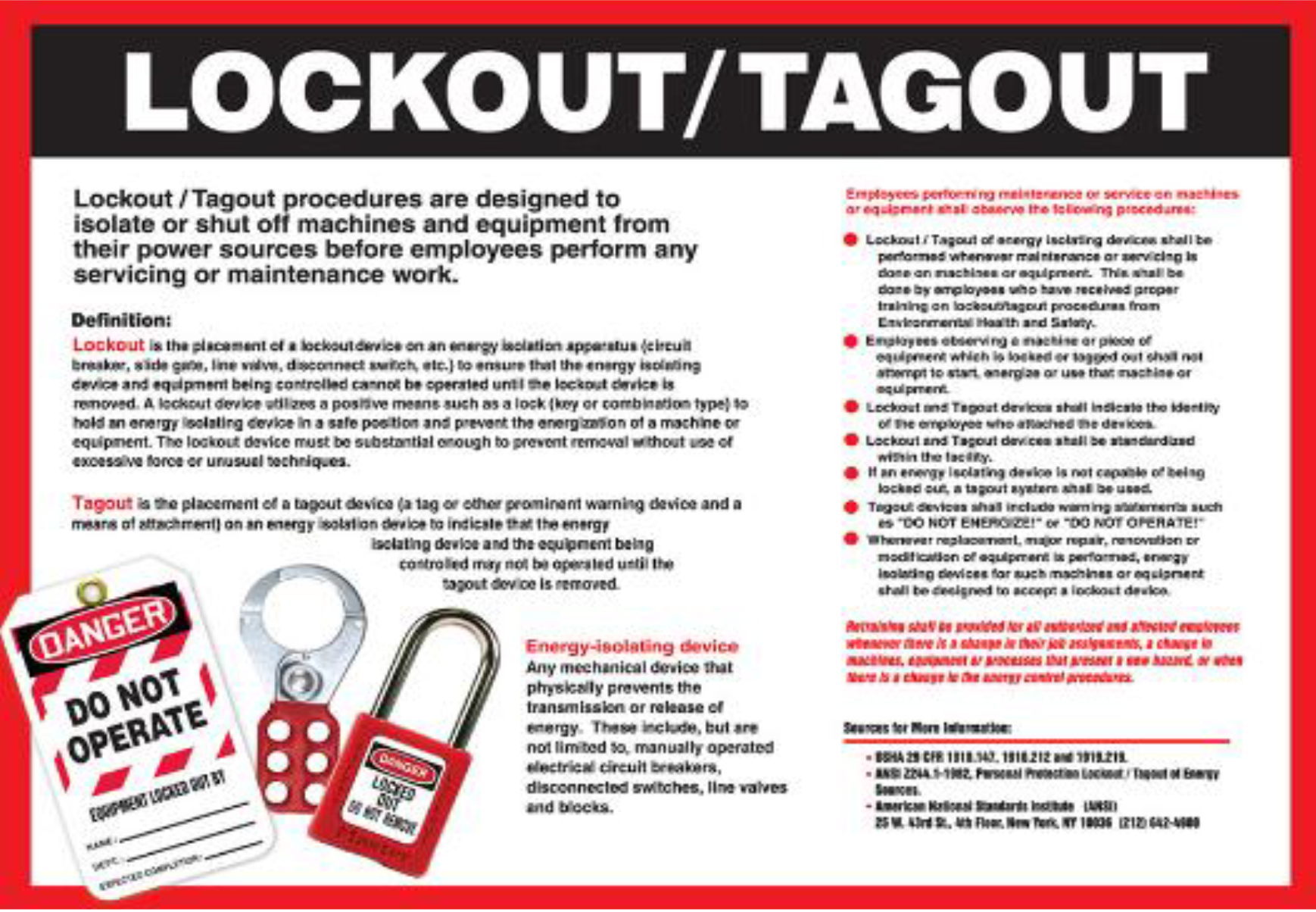
Lockout/Tagout (LOTO) procedures are mandatory under OSHA Standard 29 CFR 1910.147. At the core of this standard is the requirement to isolate energy sources during servicing. Tags serve as visual warnings—telling others: Do not operate. Work in progress. But not all tags are created equal.
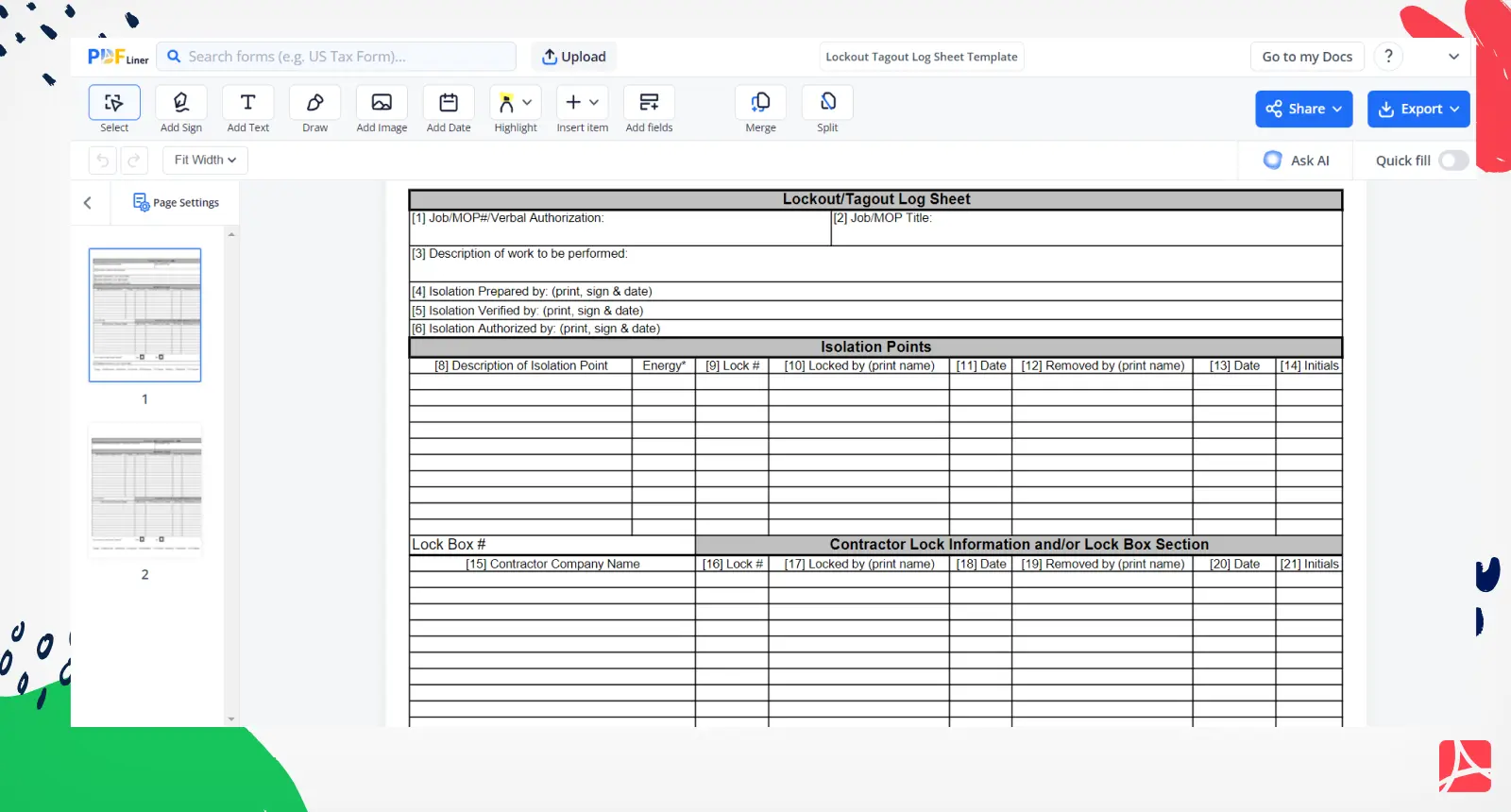
Printable PDFs solve three critical problems: - Accessibility: No need for custom printing or special software—just download, print, and use. - Consistency: Standardized tags mean every worker sees the same format, reducing confusion. - Compliance: Proper tags include required fields like name, date, reason, and department.
A poorly designed tag can be ignored, torn, or misunderstood. A well-structured, printable lockout tag PDF ensures the message is clear, permanent, and legally sound.
Key Elements of an Effective Lockout Tag Before downloading a template, verify it includes these essential components:
1. Worker Identification Every tag must include the name of the authorized employee applying the lock. This creates accountability and ensures only the person who locked the equipment can remove it.
2. Date and Time Timestamps prevent stale lockouts. A tag without a date might remain longer than necessary, creating false assumptions about equipment status.
3. Reason for Lockout A short description such as "Motor replacement" or "Conveyor belt repair" helps others understand the scope and urgency.
4. Department or Work Area Identifies the responsible team—especially useful in large facilities with overlapping shifts.
5. Energy Source Type Indicates whether the lockout applies to electrical, hydraulic, pneumatic, or mechanical systems.
6. Durable Design
While printable, the best PDFs are designed for 80-100 lb cardstock or laminated use to resist moisture, grease, and tearing.
Common Mistakes to Avoid with Printable Tags
Even with a well-designed template, human error can undermine safety. Watch for these pitfalls:
- Using regular paper: Flimsy tags tear easily and degrade in industrial environments.
- Incomplete fields: Leaving “Reason for Lockout” blank defeats the purpose.
- Pre-filling tags: Tags should be completed in real-time, at point of use.
- Reusing tags: Each lockout should use a fresh tag to maintain traceability.
- Ignoring multilingual needs: In diverse workplaces, bilingual tags (e.g., English/Spanish) improve comprehension.
A printable PDF is only as strong as the process behind it.
Practical Use Cases for Printable Lockout Tag PDFs
Manufacturing Plant Maintenance During a scheduled downtime, a technician isolates a CNC machine. Using a printed tag from a standardized PDF, they list their name, time, and "Gearbox inspection." The tag is clipped to the lock, visible from multiple angles. Another worker approaches the machine, sees the tag, and walks away—avoiding a potential startup.
HVAC Servicing in Commercial Buildings An HVAC tech servicing a rooftop unit prints a tag before ascending. The PDF includes a warning symbol and space for contact info. When a janitor tries to reset the system during cleaning, the tag stops them in their tracks.
Electrical Panel Upgrades An electrician working on a live panel uses a red, high-visibility tag from a printable template. The tag includes a QR code (if enabled) linking to the work permit. Supervisors scan the code to verify authorization—adding a digital layer to analog safety.
These scenarios show how a simple PDF becomes a critical piece of the safety chain.
Top 5 Sources for Printable Lockout Tag PDF Examples
Not all templates are equal. Below are trusted sources offering high-quality, customizable, printable lockout tag PDFs:
| Source | Key Features | Customization | File Type | Best For |
|---|---|---|---|---|
| OSHA.gov | OSHA-compliant layout, official standards | Minimal | Regulatory alignment | |
| SafetySign.com | Multilingual options, ANSI-compliant design | Moderate (text fields) | Facilities with diverse teams | |
| EHS Daily Advisor | Fillable fields, digital use + print | High | Office-to-field workflows | |
| Creative Safety Supply | Durable material suggestions, color-coded designs | Full text edit | Visual consistency | |
| PrintableForms.org | Simple, clean layout, easy to modify | Full edit | Small businesses on a budget |
Each of these provides at least one free, immediately printable lockout tag PDF. SafetySign and Creative Safety Supply also offer bundles (e.g., 10-tag packs) for bulk printing.
How to Customize and Implement Printable Tags
Downloading a PDF is just the first step. To maximize effectiveness:
- Edit Fields in Adobe or Preview
- Use PDF editing tools to pre-fill department names or add company logos. Avoid overloading the tag—keep it scannable.
- Print on Heavy Paper or Synthetic Material
- Use 100 lb cardstock or waterproof synthetic paper (e.g., Yupo) for durability. Lamination adds longevity.
- Pair with Lockout Hasps and Locks
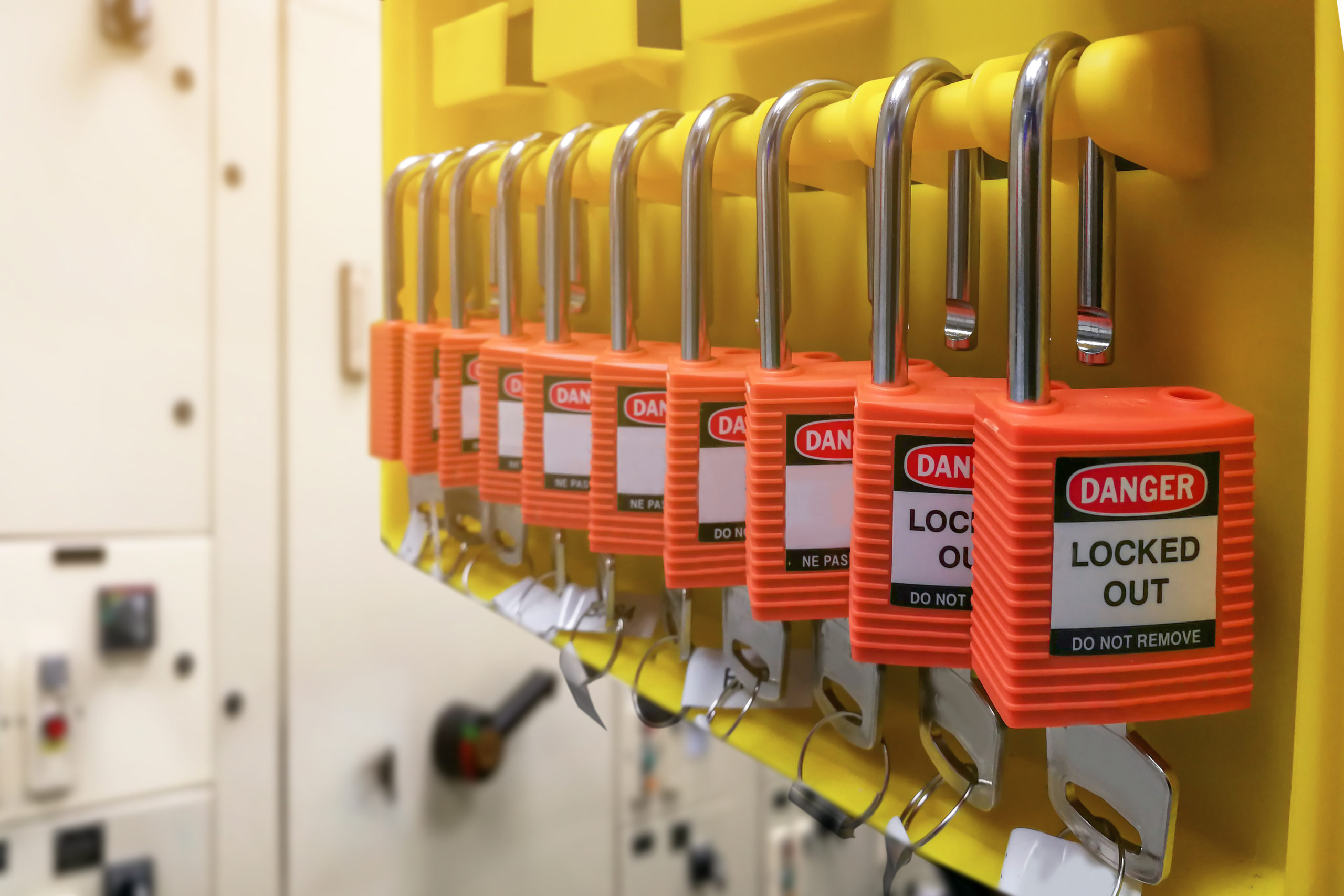
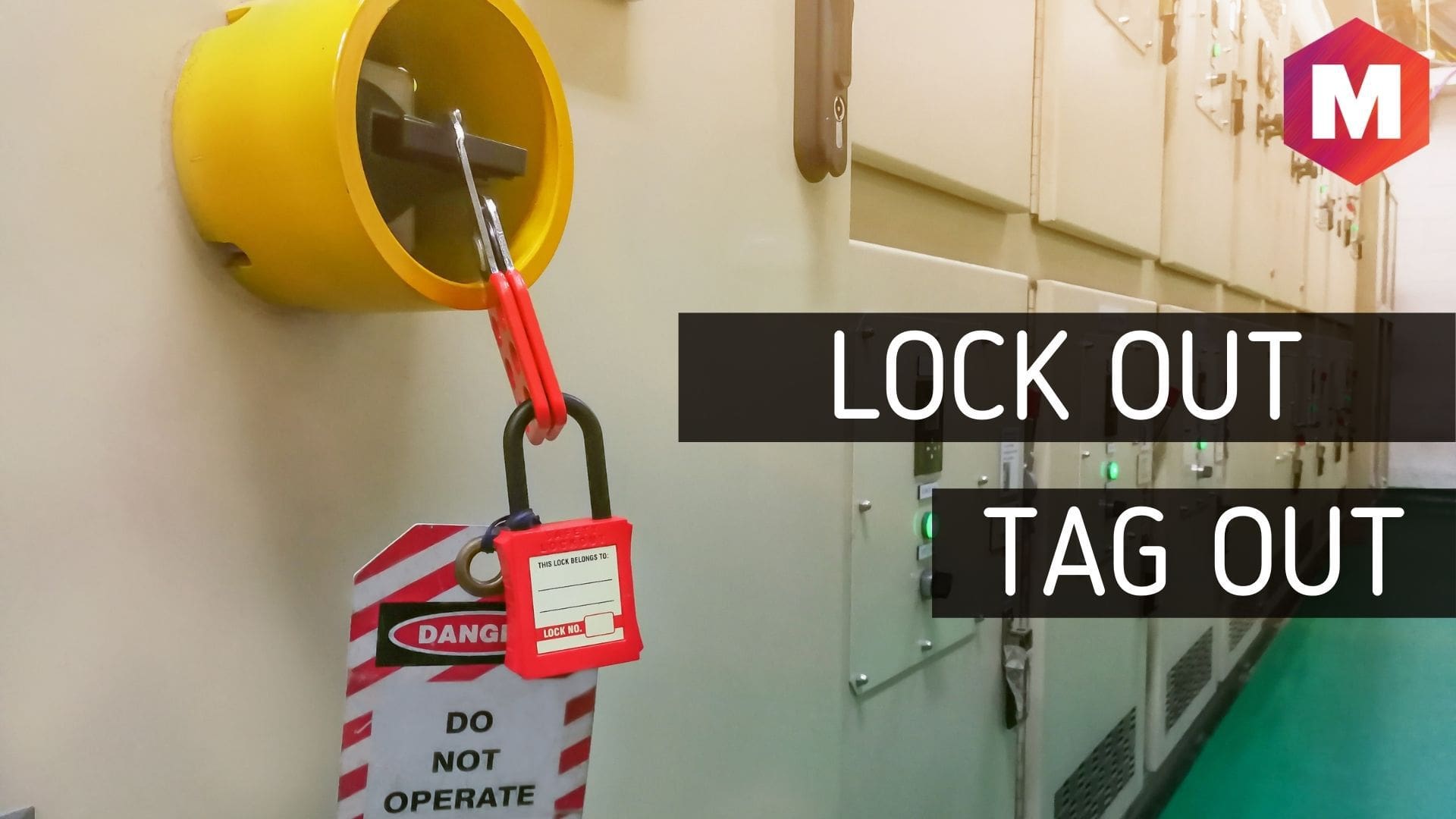
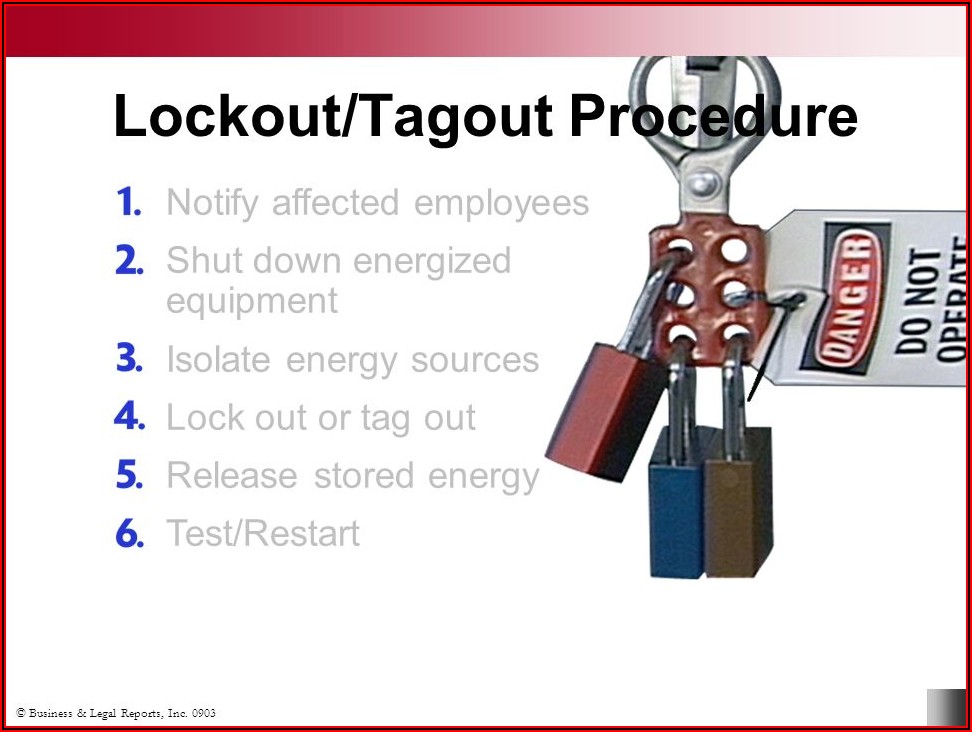
- Tags should always accompany a physical lock. Use color-coded locks by department (e.g., red for maintenance, blue for electrical).
- Train Teams on Proper Use
- Conduct quarterly drills where workers download, print, and apply tags during mock maintenance.
- Audit Tag Usage Monthly
- Walk through facilities and check for missing, damaged, or improperly filled tags. Replace templates if inconsistencies arise.
A printable PDF is not a one-time fix—it’s part of a living safety system.
Design Tips for Maximum Visibility
Even the most compliant tag fails if it’s ignored. Optimize for attention:
- Use High-Contrast Colors: Red/white or yellow/black combinations stand out.
- Include Universal Symbols: A "Do Not Operate" icon transcends language.
- Bold Headlines: "DANGER – DO NOT START" should be readable from 3 feet away.
- Perforated Sections: For dual tags (one to remove, one to keep), use perforation lines in the PDF.
- Barcode or QR Field: Optional, but useful for digital tracking.
The best printable lockout tag PDFs balance regulatory rigor with visual impact.
Free vs. Paid Templates: What’s Worth It?
Free templates from OSHA or safety blogs are excellent starting points. But paid versions (often $10–$30) deliver:
- Multi-language support
- Editable layers in PDF
- Compatibility with tag printers
- Compliance updates (e.g., ANSI Z244.1 alignment)
For most small to mid-sized operations, free printable PDFs are sufficient—if they’re properly maintained and enforced. Larger organizations with complex workflows benefit from upgraded, branded templates.
Final Thoughts: Turn PDFs into Protection
A printable lockout tag PDF is more than a document. It’s a boundary. A warning. A record. When designed well and used consistently, it becomes a silent guardian of workplace safety.
Start with a proven template—download one from OSHA or a trusted safety supplier. Print it on durable stock. Train your team to use it without exception. Revisit it quarterly.
Safety isn’t about perfection. It’s about prevention. And sometimes, prevention starts with a single, well-placed piece of paper.
Frequently Asked Questions
Where can I find free printable lockout tag PDFs? OSHA.gov, SafetySign.com, and EHS Daily Advisor offer free, downloadable, and printable lockout tag PDFs suitable for most industrial environments.
Can I customize a printable lockout tag PDF? Yes, most templates are fillable or editable in Adobe Acrobat or Preview. You can add your company name, logo, or adjust fields for specific workflows.
What paper should I use for printing lockout tags? Use heavy cardstock (80–100 lb) or synthetic waterproof paper. Laminating the tag adds durability in harsh environments.
Do lockout tags need to be red? Not necessarily. While red is standard for danger, the key is high visibility. Yellow, orange, or fluorescent tags are acceptable if they include clear warnings and symbols.
Should lockout tags be bilingual? In workplaces with non-English speakers, bilingual tags (e.g., English/Spanish) improve comprehension and safety. Many printable PDFs offer dual-language versions.
Can I use a printed tag without a lock? No. Tags are a warning, not a control. OSHA requires a physical lock to isolate energy. Tags alone do not meet compliance standards.
How long can a lockout tag remain in place? Tags should stay until the authorized employee removes them. If the worker is unavailable, a formal removal procedure involving supervision is required.
FAQ
What should you look for in Printable Lockout Tag PDF Examples for Safety Compliance? Focus on relevance, practical value, and how well the solution matches real user intent.
Is Printable Lockout Tag PDF Examples for Safety Compliance suitable for beginners? That depends on the workflow, but a clear step-by-step approach usually makes it easier to start.
How do you compare options around Printable Lockout Tag PDF Examples for Safety Compliance? Compare features, trust signals, limitations, pricing, and ease of implementation.
What mistakes should you avoid? Avoid generic choices, weak validation, and decisions based only on marketing claims.
What is the next best step? Shortlist the most relevant options, validate them quickly, and refine from real-world results.